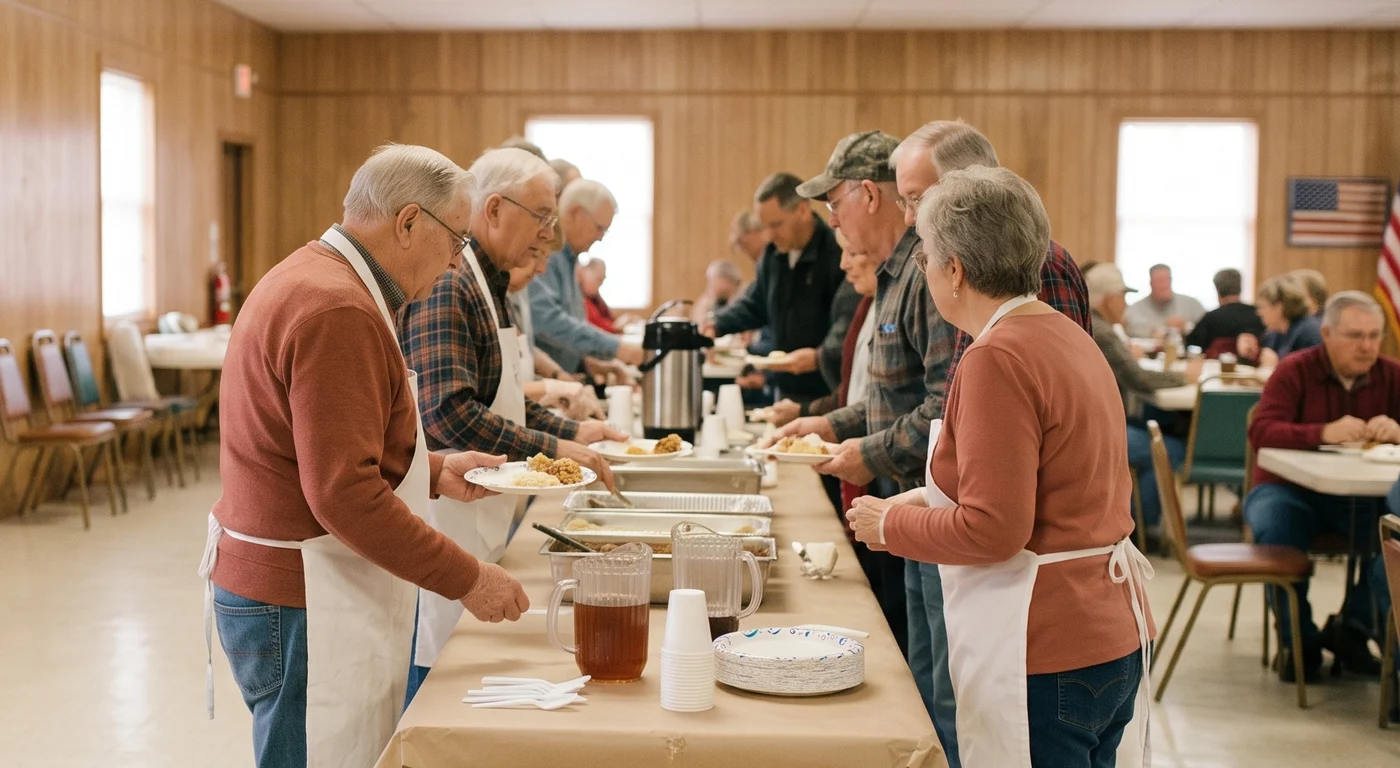
For veterans posts
Know how many are coming before you buy the fish.
Fish fries, pancake breakfasts, spaghetti dinners, monthly meetings. The count decides the food order, and the food order is real money out of the post's pocket. One link, no app, and nobody has to make an account to say yes.

02
Nobody makes an account
This is where most sign-up tools lose a post. Membership skews older, and asking someone to download an app and create a password to say yes to a fish fry is the moment the RSVP dies. They close it and tell you at the meeting instead. Doors guests never create an account. They tap the link, type a name and an email, and that's the whole thing. One short URL (doors.events/e/friday-fish-fry) works in a text, an email, or the newsletter.
The count is the food order
A fish fry, a pancake breakfast, a spaghetti dinner: somebody has to decide how much to buy, and they have to decide days ahead. Guess high and the post eats the cost. Guess low and people who came out get turned away. A number scribbled on a legal pad by the door is not a plan, and "about the same as last time" stops being true the one time it matters. If the dinner has more than one plate on the menu, each person in a party picks their own and you get a plate count for the kitchen. Each person can note an allergy or a dietary need too, so the kitchen hears about the shellfish allergy before Friday, not at the serving line. Make the monthly fish fry a repeating event and one link covers every date: its page shows the plate count and the dietary notes for each upcoming date, so every month gets its own order. Repeating events are part of Unlimited.
Print the QR and pin it to the board
Every event gets its own QR code at /qr/friday-fish-fry.png. Put it on the flyer, pin the flyer to the bulletin board by the door, and the people who are already in the building can RSVP on the way out. That matters here more than it does for most events: the post has a physical room that members actually walk through, which is a distribution channel a link in an email does not reach. Print the QR code on your flyer or post bulletin. Members scan and RSVP from their phone.
Built for the one volunteer who runs it
It is usually the same person every time, doing this on top of everything else, with no budget and no interest in learning software. So there is nothing to administer: create the event, share the link, watch the number. Your dashboard card for each fish fry shows the count against your cap, how many are on the waitlist, the plate count, and a Headcount due flag in the days before the event. The latest RSVPs, changes and cancellations are listed on the dashboard and on the event page. On a repeating event you can close RSVPs a set number of days before each date, say two days before at noon, and every date closes on its own in time to place the order. After RSVPs close, members can still cancel or make their party smaller, but not add to it, so the count you ordered against only goes down. Doors emails everyone who said yes about three days out and again shortly before it starts, so the count you order against is a count people have been reminded about. It works the same way for a monthly post or auxiliary meeting, or for a Memorial Day or Veterans Day ceremony where the room is open to the community and you want some idea of who is coming. Export the list whenever you want it. See how to track RSVPs online.
What members see
Tap. Type. Done.
The whole RSVP flow from a member's phone, start to finish. No app to install, no account to make.
Keep reading
Your next post dinner, one link away.
Your first event is free, up to 50 guests, no card required. After that, $9.99 per event or $49.99 for unlimited.